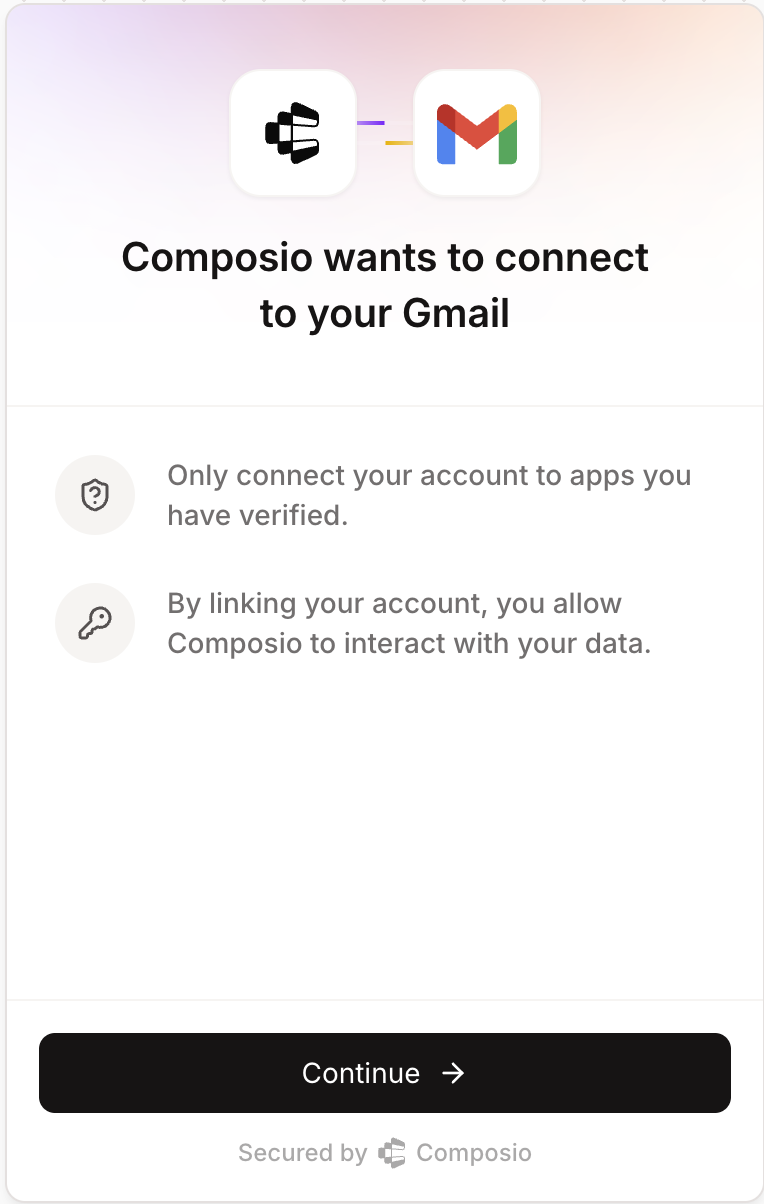
The first step in authenticating your users is to create an Auth Config. Every toolkit has its own authentication method such as OAuth, API key, Basic Auth, or custom schemes.
An Auth Config is a blueprint that defines how authentication works for a toolkit across all your users. It defines:
Authentication method - OAuth2, Bearer token, API key, or Basic Auth
Scopes - what actions your tools can perform
Credentials - whether you'll use your own app credentials or Composio's managed auth
Navigate to Auth Configs tab in your dashboard and click "Create Auth Config". Find and select the toolkit you want to integrate (e.g., Gmail, Slack, GitHub).
Click "Create Auth Configuration" button and you have completed your first step! Now you can move ahead to authenticating your users by Connecting an Account.
Auth configs are reusable
Auth configs contain your developer credentials and app-level settings (scopes, authentication method, etc.). Once created, you can reuse the same auth config for all your users.
User authentication requires a User ID - a unique identifier that groups connected accounts together. Learn more about User Management to understand how to structure User IDs for your application.
Choose the section below that matches your toolkit's authentication method:
Redirect users to a Composio-hosted URL that handles the entire authentication process—OAuth flows, API key collection, or custom fields like subdomain. You can specify a callback URL to control where users return after authentication.
Connect Link authentication screen
from composio import Composiocomposio = Composio(api_key="your_api_key")# Use the "AUTH CONFIG ID" from your dashboardauth_config_id = "your_auth_config_id"# Use a unique identifier for each user in your applicationuser_id = 'user-1349-129-12'connection_request = composio.connected_accounts.link( user_id=user_id, auth_config_id=auth_config_id, callback_url='https://your-app.com/callback')redirect_url = connection_request.redirect_urlprint(f"Visit: {redirect_url} to authenticate your account")
import { class Composio<TProvider extends BaseComposioProvider<unknown, unknown, unknown> = OpenAIProvider>
This is the core class for Composio.
It is used to initialize the Composio SDK and provide a global configuration.
Creates a new instance of the Composio SDK.
The constructor initializes the SDK with the provided configuration options,
sets up the API client, and initializes all core models (tools, toolkits, etc.).
@paramconfig - Configuration options for the Composio SDK@paramconfig.apiKey - The API key for authenticating with the Composio API@paramconfig.baseURL - The base URL for the Composio API (defaults to production URL)@paramconfig.allowTracking - Whether to allow anonymous usage analytics@paramconfig.provider - The provider to use for this Composio instance (defaults to OpenAIProvider)@example```typescript
// Initialize with default configuration
const composio = new Composio();
// Initialize with custom API key and base URL
const composio = new Composio({
apiKey: 'your-api-key',
baseURL: 'https://api.composio.dev'
});
// Initialize with custom provider
const composio = new Composio({
apiKey: 'your-api-key',
provider: new CustomProvider()
});
```
Composio({apiKey?: string | null | undefined
The API key for the Composio API.
@example'sk-1234567890'
apiKey: "your_api_key"});// Use the "AUTH CONFIG ID" from your dashboardconstconst authConfigId: "your_auth_config_id"authConfigId = 'your_auth_config_id';// Use a unique identifier for each user in your applicationconstconst userId: "user-1349-129-12"userId = 'user-1349-129-12';constconst connectionRequest: ConnectionRequestconnectionRequest = awaitconst composio: Composio<OpenAIProvider>composio.Composio<OpenAIProvider>.connectedAccounts: ConnectedAccounts
@descriptionCreate a Composio Connect Link for a user to connect their account to a given auth config. This method will return an external link which you can use the user to connect their account.@docshttps://docs.composio.dev/reference/connected-accounts/create-connected-account#create-a-composio-connect-link@paramuserId - The external user ID to create the connected account for.@paramauthConfigId - The auth config ID to create the connected account for.@paramoptions - Options for creating a new connected account.@paramoptions.callbackUrl - The url to redirect the user to post connecting their account.@returnsConnection request object@example```typescript
// create a connection request and redirect the user to the redirect url
const connectionRequest = await composio.connectedAccounts.link('user_123', 'auth_config_123');
const redirectUrl = connectionRequest.redirectUrl;
console.log(`Visit: ${redirectUrl} to authenticate your account`);
// Wait for the connection to be established
const connectedAccount = await connectionRequest.waitForConnection()
```@example```typescript
// create a connection request and redirect the user to the redirect url
const connectionRequest = await composio.connectedAccounts.link('user_123', 'auth_config_123', {
callbackUrl: 'https://your-app.com/callback'
});
const redirectUrl = connectionRequest.redirectUrl;
console.log(`Visit: ${redirectUrl} to authenticate your account`);
// Wait for the connection to be established
const connectedAccount = await composio.connectedAccounts.waitForConnection(connectionRequest.id);
```
The `console` module provides a simple debugging console that is similar to the
JavaScript console mechanism provided by web browsers.
The module exports two specific components:
* A `Console` class with methods such as `console.log()`, `console.error()` and `console.warn()` that can be used to write to any Node.js stream.
* A global `console` instance configured to write to [`process.stdout`](https://nodejs.org/docs/latest-v24.x/api/process.html#processstdout) and
[`process.stderr`](https://nodejs.org/docs/latest-v24.x/api/process.html#processstderr). The global `console` can be used without importing the `node:console` module.
_**Warning**_: The global console object's methods are neither consistently
synchronous like the browser APIs they resemble, nor are they consistently
asynchronous like all other Node.js streams. See the [`note on process I/O`](https://nodejs.org/docs/latest-v24.x/api/process.html#a-note-on-process-io) for
more information.
Example using the global `console`:
```js
console.log('hello world');
// Prints: hello world, to stdout
console.log('hello %s', 'world');
// Prints: hello world, to stdout
console.error(new Error('Whoops, something bad happened'));
// Prints error message and stack trace to stderr:
// Error: Whoops, something bad happened
// at [eval]:5:15
// at Script.runInThisContext (node:vm:132:18)
// at Object.runInThisContext (node:vm:309:38)
// at node:internal/process/execution:77:19
// at [eval]-wrapper:6:22
// at evalScript (node:internal/process/execution:76:60)
// at node:internal/main/eval_string:23:3
const name = 'Will Robinson';
console.warn(`Danger ${name}! Danger!`);
// Prints: Danger Will Robinson! Danger!, to stderr
```
Example using the `Console` class:
```js
const out = getStreamSomehow();
const err = getStreamSomehow();
const myConsole = new console.Console(out, err);
myConsole.log('hello world');
// Prints: hello world, to out
myConsole.log('hello %s', 'world');
// Prints: hello world, to out
myConsole.error(new Error('Whoops, something bad happened'));
// Prints: [Error: Whoops, something bad happened], to err
const name = 'Will Robinson';
myConsole.warn(`Danger ${name}! Danger!`);
// Prints: Danger Will Robinson! Danger!, to err
```
Prints to `stdout` with newline. Multiple arguments can be passed, with the
first used as the primary message and all additional used as substitution
values similar to [`printf(3)`](http://man7.org/linux/man-pages/man3/printf.3.html)
(the arguments are all passed to [`util.format()`](https://nodejs.org/docs/latest-v24.x/api/util.html#utilformatformat-args)).
```js
const count = 5;
console.log('count: %d', count);
// Prints: count: 5, to stdout
console.log('count:', count);
// Prints: count: 5, to stdout
```
See [`util.format()`](https://nodejs.org/docs/latest-v24.x/api/util.html#utilformatformat-args) for more information.
@sincev0.1.100
log(`Visit: ${const redirectUrl: string | null | undefinedredirectUrl} to authenticate your account`);
By default, users will see a Composio-branded authentication experience when connecting their accounts. To customize this interface with your application's branding:
Navigate to your Project Settings and select Auth Screen
Configure your Logo and App Title
These settings will apply to all authentication flows using Connect Link, providing a white-labeled experience that maintains your brand identity throughout the authentication process.
For OAuth flows, you'll redirect users to complete authorization. You can specify a callback URL to control where users return after authentication:
from composio import Composiocomposio = Composio(api_key="YOUR_COMPOSIO_API_KEY")# Use the "AUTH CONFIG ID" from your dashboardauth_config_id = "your_auth_config_id"# Use a unique identifier for each user in your applicationuser_id = "user-1349-129-12"connection_request = composio.connected_accounts.initiate( user_id=user_id, auth_config_id=auth_config_id, config={"auth_scheme": "OAUTH2"}, callback_url="https://www.yourapp.com/callback")print(f"Redirect URL: {connection_request.redirect_url}")connected_account = connection_request.wait_for_connection()# Alternative: if you only have the connection request ID# connected_account = composio.connected_accounts.wait_for_connection(# connection_request.id)# Recommended when the connection_request object is no longer availableprint(f"Connection established: {connected_account.id}")
import { class Composio<TProvider extends BaseComposioProvider<unknown, unknown, unknown> = OpenAIProvider>
This is the core class for Composio.
It is used to initialize the Composio SDK and provide a global configuration.
Creates a new instance of the Composio SDK.
The constructor initializes the SDK with the provided configuration options,
sets up the API client, and initializes all core models (tools, toolkits, etc.).
@paramconfig - Configuration options for the Composio SDK@paramconfig.apiKey - The API key for authenticating with the Composio API@paramconfig.baseURL - The base URL for the Composio API (defaults to production URL)@paramconfig.allowTracking - Whether to allow anonymous usage analytics@paramconfig.provider - The provider to use for this Composio instance (defaults to OpenAIProvider)@example```typescript
// Initialize with default configuration
const composio = new Composio();
// Initialize with custom API key and base URL
const composio = new Composio({
apiKey: 'your-api-key',
baseURL: 'https://api.composio.dev'
});
// Initialize with custom provider
const composio = new Composio({
apiKey: 'your-api-key',
provider: new CustomProvider()
});
```
Composio({apiKey?: string | null | undefined
The API key for the Composio API.
@example'sk-1234567890'
apiKey: "YOUR_COMPOSIO_API_KEY"});// Use the "AUTH CONFIG ID" from your dashboardconstconst authConfigId: "your_auth_config_id"authConfigId = 'your_auth_config_id';// Use a unique identifier for each user in your applicationconstconst userId: "user_4567"userId = 'user_4567';constconst connRequest: ConnectionRequestconnRequest = awaitconst composio: Composio<OpenAIProvider>composio.Composio<OpenAIProvider>.connectedAccounts: ConnectedAccounts
Compound function to create a new connected account.
This function creates a new connected account and returns a connection request.
Users can then wait for the connection to be established using the `waitForConnection` method.
@paramuserId - User ID of the connected account@paramauthConfigId - Auth config ID of the connected account@paramoptions - Options for creating a new connected account@returnsConnection request object@example```typescript
// For OAuth2 authentication
const connectionRequest = await composio.connectedAccounts.initiate(
'user_123',
'auth_config_123',
{
callbackUrl: 'https://your-app.com/callback',
config: AuthScheme.OAuth2({
access_token: 'your_access_token',
token_type: 'Bearer'
})
}
);
// For API Key authentication
const connectionRequest = await composio.connectedAccounts.initiate(
'user_123',
'auth_config_123',
{
config: AuthScheme.ApiKey({
api_key: 'your_api_key'
})
}
);
// For Basic authentication
const connectionRequest = await composio.connectedAccounts.initiate(
'user_123',
'auth_config_123',
{
config: AuthScheme.Basic({
username: 'your_username',
password: 'your_password'
})
}
);
```@linkhttps://docs.composio.dev/reference/connected-accounts/create-connected-account
The `console` module provides a simple debugging console that is similar to the
JavaScript console mechanism provided by web browsers.
The module exports two specific components:
* A `Console` class with methods such as `console.log()`, `console.error()` and `console.warn()` that can be used to write to any Node.js stream.
* A global `console` instance configured to write to [`process.stdout`](https://nodejs.org/docs/latest-v24.x/api/process.html#processstdout) and
[`process.stderr`](https://nodejs.org/docs/latest-v24.x/api/process.html#processstderr). The global `console` can be used without importing the `node:console` module.
_**Warning**_: The global console object's methods are neither consistently
synchronous like the browser APIs they resemble, nor are they consistently
asynchronous like all other Node.js streams. See the [`note on process I/O`](https://nodejs.org/docs/latest-v24.x/api/process.html#a-note-on-process-io) for
more information.
Example using the global `console`:
```js
console.log('hello world');
// Prints: hello world, to stdout
console.log('hello %s', 'world');
// Prints: hello world, to stdout
console.error(new Error('Whoops, something bad happened'));
// Prints error message and stack trace to stderr:
// Error: Whoops, something bad happened
// at [eval]:5:15
// at Script.runInThisContext (node:vm:132:18)
// at Object.runInThisContext (node:vm:309:38)
// at node:internal/process/execution:77:19
// at [eval]-wrapper:6:22
// at evalScript (node:internal/process/execution:76:60)
// at node:internal/main/eval_string:23:3
const name = 'Will Robinson';
console.warn(`Danger ${name}! Danger!`);
// Prints: Danger Will Robinson! Danger!, to stderr
```
Example using the `Console` class:
```js
const out = getStreamSomehow();
const err = getStreamSomehow();
const myConsole = new console.Console(out, err);
myConsole.log('hello world');
// Prints: hello world, to out
myConsole.log('hello %s', 'world');
// Prints: hello world, to out
myConsole.error(new Error('Whoops, something bad happened'));
// Prints: [Error: Whoops, something bad happened], to err
const name = 'Will Robinson';
myConsole.warn(`Danger ${name}! Danger!`);
// Prints: Danger Will Robinson! Danger!, to err
```
Prints to `stdout` with newline. Multiple arguments can be passed, with the
first used as the primary message and all additional used as substitution
values similar to [`printf(3)`](http://man7.org/linux/man-pages/man3/printf.3.html)
(the arguments are all passed to [`util.format()`](https://nodejs.org/docs/latest-v24.x/api/util.html#utilformatformat-args)).
```js
const count = 5;
console.log('count: %d', count);
// Prints: count: 5, to stdout
console.log('count:', count);
// Prints: count: 5, to stdout
```
See [`util.format()`](https://nodejs.org/docs/latest-v24.x/api/util.html#utilformatformat-args) for more information.
connectedAccount = awaitconst connRequest: ConnectionRequestconnRequest.ConnectionRequest.waitForConnection: (timeout?: number) => Promise<ConnectedAccountRetrieveResponse>waitForConnection();// Alternative: if you only have the connection request ID// const connectedAccount = await composio.connectedAccounts// .waitForConnection(connRequest.id);// Recommended when the connRequest object is no longer availablevar console: Console
The `console` module provides a simple debugging console that is similar to the
JavaScript console mechanism provided by web browsers.
The module exports two specific components:
* A `Console` class with methods such as `console.log()`, `console.error()` and `console.warn()` that can be used to write to any Node.js stream.
* A global `console` instance configured to write to [`process.stdout`](https://nodejs.org/docs/latest-v24.x/api/process.html#processstdout) and
[`process.stderr`](https://nodejs.org/docs/latest-v24.x/api/process.html#processstderr). The global `console` can be used without importing the `node:console` module.
_**Warning**_: The global console object's methods are neither consistently
synchronous like the browser APIs they resemble, nor are they consistently
asynchronous like all other Node.js streams. See the [`note on process I/O`](https://nodejs.org/docs/latest-v24.x/api/process.html#a-note-on-process-io) for
more information.
Example using the global `console`:
```js
console.log('hello world');
// Prints: hello world, to stdout
console.log('hello %s', 'world');
// Prints: hello world, to stdout
console.error(new Error('Whoops, something bad happened'));
// Prints error message and stack trace to stderr:
// Error: Whoops, something bad happened
// at [eval]:5:15
// at Script.runInThisContext (node:vm:132:18)
// at Object.runInThisContext (node:vm:309:38)
// at node:internal/process/execution:77:19
// at [eval]-wrapper:6:22
// at evalScript (node:internal/process/execution:76:60)
// at node:internal/main/eval_string:23:3
const name = 'Will Robinson';
console.warn(`Danger ${name}! Danger!`);
// Prints: Danger Will Robinson! Danger!, to stderr
```
Example using the `Console` class:
```js
const out = getStreamSomehow();
const err = getStreamSomehow();
const myConsole = new console.Console(out, err);
myConsole.log('hello world');
// Prints: hello world, to out
myConsole.log('hello %s', 'world');
// Prints: hello world, to out
myConsole.error(new Error('Whoops, something bad happened'));
// Prints: [Error: Whoops, something bad happened], to err
const name = 'Will Robinson';
myConsole.warn(`Danger ${name}! Danger!`);
// Prints: Danger Will Robinson! Danger!, to err
```
Prints to `stdout` with newline. Multiple arguments can be passed, with the
first used as the primary message and all additional used as substitution
values similar to [`printf(3)`](http://man7.org/linux/man-pages/man3/printf.3.html)
(the arguments are all passed to [`util.format()`](https://nodejs.org/docs/latest-v24.x/api/util.html#utilformatformat-args)).
```js
const count = 5;
console.log('count: %d', count);
// Prints: count: 5, to stdout
console.log('count:', count);
// Prints: count: 5, to stdout
```
See [`util.format()`](https://nodejs.org/docs/latest-v24.x/api/util.html#utilformatformat-args) for more information.
Some services like Zendesk require additional parameters such as subdomain:
# For Zendesk - include subdomainconnection_request = composio.connected_accounts.initiate( user_id=user_id, auth_config_id=auth_config_id, config=auth_scheme.oauth2(subdomain="mycompany") # For mycompany.zendesk.com)
// For Zendesk - include subdomainconstconst connRequest: ConnectionRequestconnRequest = awaitconst composio: Composio<OpenAIProvider>composio.Composio<OpenAIProvider>.connectedAccounts: ConnectedAccounts
Compound function to create a new connected account.
This function creates a new connected account and returns a connection request.
Users can then wait for the connection to be established using the `waitForConnection` method.
@paramuserId - User ID of the connected account@paramauthConfigId - Auth config ID of the connected account@paramoptions - Options for creating a new connected account@returnsConnection request object@example```typescript
// For OAuth2 authentication
const connectionRequest = await composio.connectedAccounts.initiate(
'user_123',
'auth_config_123',
{
callbackUrl: 'https://your-app.com/callback',
config: AuthScheme.OAuth2({
access_token: 'your_access_token',
token_type: 'Bearer'
})
}
);
// For API Key authentication
const connectionRequest = await composio.connectedAccounts.initiate(
'user_123',
'auth_config_123',
{
config: AuthScheme.ApiKey({
api_key: 'your_api_key'
})
}
);
// For Basic authentication
const connectionRequest = await composio.connectedAccounts.initiate(
'user_123',
'auth_config_123',
{
config: AuthScheme.Basic({
username: 'your_username',
password: 'your_password'
})
}
);
```@linkhttps://docs.composio.dev/reference/connected-accounts/create-connected-account
For API key authentication, you can either collect API keys from each user or use your own API key for all users. Popular toolkits that use API keys include Stripe, Perplexity, etc.
Here is how to initiate the flow:
from composio import Composiocomposio = Composio(api_key="your_api_key")# Use the "AUTH CONFIG ID" from your dashboardauth_config_id = "your_auth_config_id"# Use a unique identifier for each user in your applicationuser_id = "user_12323"# API key provided by the user (collected from your app's UI)# or use your own keyuser_api_key = "user_api_key_here"connection_request = composio.connected_accounts.initiate( user_id=user_id, auth_config_id=auth_config_id, config={ "auth_scheme": "API_KEY", "val": {"api_key": user_api_key} })print(f"Connection established: {connection_request.id}")
import { class Composio<TProvider extends BaseComposioProvider<unknown, unknown, unknown> = OpenAIProvider>
This is the core class for Composio.
It is used to initialize the Composio SDK and provide a global configuration.
Composio, class AuthSchemeAuthScheme } from '@composio/core';constconst composio: Composio<OpenAIProvider>composio = newnew Composio<OpenAIProvider>(config?: ComposioConfig<OpenAIProvider> | undefined): Composio<OpenAIProvider>
Creates a new instance of the Composio SDK.
The constructor initializes the SDK with the provided configuration options,
sets up the API client, and initializes all core models (tools, toolkits, etc.).
@paramconfig - Configuration options for the Composio SDK@paramconfig.apiKey - The API key for authenticating with the Composio API@paramconfig.baseURL - The base URL for the Composio API (defaults to production URL)@paramconfig.allowTracking - Whether to allow anonymous usage analytics@paramconfig.provider - The provider to use for this Composio instance (defaults to OpenAIProvider)@example```typescript
// Initialize with default configuration
const composio = new Composio();
// Initialize with custom API key and base URL
const composio = new Composio({
apiKey: 'your-api-key',
baseURL: 'https://api.composio.dev'
});
// Initialize with custom provider
const composio = new Composio({
apiKey: 'your-api-key',
provider: new CustomProvider()
});
```
Composio({ apiKey?: string | null | undefined
The API key for the Composio API.
@example'sk-1234567890'
apiKey: 'your_api_key' });// Use the "AUTH CONFIG ID" from your dashboardconstconst authConfigId: "your_auth_config_id"authConfigId = 'your_auth_config_id';// Use a unique identifier for each user in your applicationconstconst userId: "user12345678"userId = 'user12345678';// API key provided by the user (collected from your app's UI)constconst userApiKey: "user_api_key_here"userApiKey = 'user_api_key_here';constconst connectionRequest: ConnectionRequestconnectionRequest = awaitconst composio: Composio<OpenAIProvider>composio.Composio<OpenAIProvider>.connectedAccounts: ConnectedAccounts
Compound function to create a new connected account.
This function creates a new connected account and returns a connection request.
Users can then wait for the connection to be established using the `waitForConnection` method.
@paramuserId - User ID of the connected account@paramauthConfigId - Auth config ID of the connected account@paramoptions - Options for creating a new connected account@returnsConnection request object@example```typescript
// For OAuth2 authentication
const connectionRequest = await composio.connectedAccounts.initiate(
'user_123',
'auth_config_123',
{
callbackUrl: 'https://your-app.com/callback',
config: AuthScheme.OAuth2({
access_token: 'your_access_token',
token_type: 'Bearer'
})
}
);
// For API Key authentication
const connectionRequest = await composio.connectedAccounts.initiate(
'user_123',
'auth_config_123',
{
config: AuthScheme.ApiKey({
api_key: 'your_api_key'
})
}
);
// For Basic authentication
const connectionRequest = await composio.connectedAccounts.initiate(
'user_123',
'auth_config_123',
{
config: AuthScheme.Basic({
username: 'your_username',
password: 'your_password'
})
}
);
```@linkhttps://docs.composio.dev/reference/connected-accounts/create-connected-account
The `console` module provides a simple debugging console that is similar to the
JavaScript console mechanism provided by web browsers.
The module exports two specific components:
* A `Console` class with methods such as `console.log()`, `console.error()` and `console.warn()` that can be used to write to any Node.js stream.
* A global `console` instance configured to write to [`process.stdout`](https://nodejs.org/docs/latest-v24.x/api/process.html#processstdout) and
[`process.stderr`](https://nodejs.org/docs/latest-v24.x/api/process.html#processstderr). The global `console` can be used without importing the `node:console` module.
_**Warning**_: The global console object's methods are neither consistently
synchronous like the browser APIs they resemble, nor are they consistently
asynchronous like all other Node.js streams. See the [`note on process I/O`](https://nodejs.org/docs/latest-v24.x/api/process.html#a-note-on-process-io) for
more information.
Example using the global `console`:
```js
console.log('hello world');
// Prints: hello world, to stdout
console.log('hello %s', 'world');
// Prints: hello world, to stdout
console.error(new Error('Whoops, something bad happened'));
// Prints error message and stack trace to stderr:
// Error: Whoops, something bad happened
// at [eval]:5:15
// at Script.runInThisContext (node:vm:132:18)
// at Object.runInThisContext (node:vm:309:38)
// at node:internal/process/execution:77:19
// at [eval]-wrapper:6:22
// at evalScript (node:internal/process/execution:76:60)
// at node:internal/main/eval_string:23:3
const name = 'Will Robinson';
console.warn(`Danger ${name}! Danger!`);
// Prints: Danger Will Robinson! Danger!, to stderr
```
Example using the `Console` class:
```js
const out = getStreamSomehow();
const err = getStreamSomehow();
const myConsole = new console.Console(out, err);
myConsole.log('hello world');
// Prints: hello world, to out
myConsole.log('hello %s', 'world');
// Prints: hello world, to out
myConsole.error(new Error('Whoops, something bad happened'));
// Prints: [Error: Whoops, something bad happened], to err
const name = 'Will Robinson';
myConsole.warn(`Danger ${name}! Danger!`);
// Prints: Danger Will Robinson! Danger!, to err
```
Prints to `stdout` with newline. Multiple arguments can be passed, with the
first used as the primary message and all additional used as substitution
values similar to [`printf(3)`](http://man7.org/linux/man-pages/man3/printf.3.html)
(the arguments are all passed to [`util.format()`](https://nodejs.org/docs/latest-v24.x/api/util.html#utilformatformat-args)).
```js
const count = 5;
console.log('count: %d', count);
// Prints: count: 5, to stdout
console.log('count:', count);
// Prints: count: 5, to stdout
```
See [`util.format()`](https://nodejs.org/docs/latest-v24.x/api/util.html#utilformatformat-args) for more information.
When working with any toolkit, you can inspect an auth config to understand its authentication requirements and expected parameters.
Here is how you would fetch the authentication method and input fields:
from composio import Composiocomposio = Composio(api_key="your_api_key")# Use the "AUTH CONFIG ID" from your dashboardauth_config_id = "your_auth_config_id"# Fetch the auth configuration detailsauth_config = composio.auth_configs.get(auth_config_id)# Check what authentication method this config usesprint(f"Authentication method: {auth_config.auth_scheme}")# See what input fields are requiredprint(f"Required fields: {auth_config.expected_input_fields}")
import { class Composio<TProvider extends BaseComposioProvider<unknown, unknown, unknown> = OpenAIProvider>
This is the core class for Composio.
It is used to initialize the Composio SDK and provide a global configuration.
Creates a new instance of the Composio SDK.
The constructor initializes the SDK with the provided configuration options,
sets up the API client, and initializes all core models (tools, toolkits, etc.).
@paramconfig - Configuration options for the Composio SDK@paramconfig.apiKey - The API key for authenticating with the Composio API@paramconfig.baseURL - The base URL for the Composio API (defaults to production URL)@paramconfig.allowTracking - Whether to allow anonymous usage analytics@paramconfig.provider - The provider to use for this Composio instance (defaults to OpenAIProvider)@example```typescript
// Initialize with default configuration
const composio = new Composio();
// Initialize with custom API key and base URL
const composio = new Composio({
apiKey: 'your-api-key',
baseURL: 'https://api.composio.dev'
});
// Initialize with custom provider
const composio = new Composio({
apiKey: 'your-api-key',
provider: new CustomProvider()
});
```
Composio({ apiKey?: string | null | undefined
The API key for the Composio API.
@example'sk-1234567890'
apiKey: 'your_api_key' });// Use the "AUTH CONFIG ID" from your dashboardconstconst authConfigId: "your_auth_config_id"authConfigId = 'your_auth_config_id';// Fetch the auth configuration detailsconst
Retrieves a specific authentication configuration by its ID.
This method fetches detailed information about a single auth config
and transforms the response to the SDK's standardized format.
@paramnanoid - The unique identifier of the auth config to retrieve@returnsThe auth config details@throws{Error} If the auth config cannot be found or an API error occurs@throws{ValidationError} If the response fails validation@example```typescript
// Get an auth config by ID
const authConfig = await composio.authConfigs.get('auth_abc123');
console.log(authConfig.name); // e.g., 'GitHub Auth'
console.log(authConfig.toolkit.slug); // e.g., 'github'
```
The `console` module provides a simple debugging console that is similar to the
JavaScript console mechanism provided by web browsers.
The module exports two specific components:
* A `Console` class with methods such as `console.log()`, `console.error()` and `console.warn()` that can be used to write to any Node.js stream.
* A global `console` instance configured to write to [`process.stdout`](https://nodejs.org/docs/latest-v24.x/api/process.html#processstdout) and
[`process.stderr`](https://nodejs.org/docs/latest-v24.x/api/process.html#processstderr). The global `console` can be used without importing the `node:console` module.
_**Warning**_: The global console object's methods are neither consistently
synchronous like the browser APIs they resemble, nor are they consistently
asynchronous like all other Node.js streams. See the [`note on process I/O`](https://nodejs.org/docs/latest-v24.x/api/process.html#a-note-on-process-io) for
more information.
Example using the global `console`:
```js
console.log('hello world');
// Prints: hello world, to stdout
console.log('hello %s', 'world');
// Prints: hello world, to stdout
console.error(new Error('Whoops, something bad happened'));
// Prints error message and stack trace to stderr:
// Error: Whoops, something bad happened
// at [eval]:5:15
// at Script.runInThisContext (node:vm:132:18)
// at Object.runInThisContext (node:vm:309:38)
// at node:internal/process/execution:77:19
// at [eval]-wrapper:6:22
// at evalScript (node:internal/process/execution:76:60)
// at node:internal/main/eval_string:23:3
const name = 'Will Robinson';
console.warn(`Danger ${name}! Danger!`);
// Prints: Danger Will Robinson! Danger!, to stderr
```
Example using the `Console` class:
```js
const out = getStreamSomehow();
const err = getStreamSomehow();
const myConsole = new console.Console(out, err);
myConsole.log('hello world');
// Prints: hello world, to out
myConsole.log('hello %s', 'world');
// Prints: hello world, to out
myConsole.error(new Error('Whoops, something bad happened'));
// Prints: [Error: Whoops, something bad happened], to err
const name = 'Will Robinson';
myConsole.warn(`Danger ${name}! Danger!`);
// Prints: Danger Will Robinson! Danger!, to err
```
Prints to `stdout` with newline. Multiple arguments can be passed, with the
first used as the primary message and all additional used as substitution
values similar to [`printf(3)`](http://man7.org/linux/man-pages/man3/printf.3.html)
(the arguments are all passed to [`util.format()`](https://nodejs.org/docs/latest-v24.x/api/util.html#utilformatformat-args)).
```js
const count = 5;
console.log('count: %d', count);
// Prints: count: 5, to stdout
console.log('count:', count);
// Prints: count: 5, to stdout
```
See [`util.format()`](https://nodejs.org/docs/latest-v24.x/api/util.html#utilformatformat-args) for more information.
The `console` module provides a simple debugging console that is similar to the
JavaScript console mechanism provided by web browsers.
The module exports two specific components:
* A `Console` class with methods such as `console.log()`, `console.error()` and `console.warn()` that can be used to write to any Node.js stream.
* A global `console` instance configured to write to [`process.stdout`](https://nodejs.org/docs/latest-v24.x/api/process.html#processstdout) and
[`process.stderr`](https://nodejs.org/docs/latest-v24.x/api/process.html#processstderr). The global `console` can be used without importing the `node:console` module.
_**Warning**_: The global console object's methods are neither consistently
synchronous like the browser APIs they resemble, nor are they consistently
asynchronous like all other Node.js streams. See the [`note on process I/O`](https://nodejs.org/docs/latest-v24.x/api/process.html#a-note-on-process-io) for
more information.
Example using the global `console`:
```js
console.log('hello world');
// Prints: hello world, to stdout
console.log('hello %s', 'world');
// Prints: hello world, to stdout
console.error(new Error('Whoops, something bad happened'));
// Prints error message and stack trace to stderr:
// Error: Whoops, something bad happened
// at [eval]:5:15
// at Script.runInThisContext (node:vm:132:18)
// at Object.runInThisContext (node:vm:309:38)
// at node:internal/process/execution:77:19
// at [eval]-wrapper:6:22
// at evalScript (node:internal/process/execution:76:60)
// at node:internal/main/eval_string:23:3
const name = 'Will Robinson';
console.warn(`Danger ${name}! Danger!`);
// Prints: Danger Will Robinson! Danger!, to stderr
```
Example using the `Console` class:
```js
const out = getStreamSomehow();
const err = getStreamSomehow();
const myConsole = new console.Console(out, err);
myConsole.log('hello world');
// Prints: hello world, to out
myConsole.log('hello %s', 'world');
// Prints: hello world, to out
myConsole.error(new Error('Whoops, something bad happened'));
// Prints: [Error: Whoops, something bad happened], to err
const name = 'Will Robinson';
myConsole.warn(`Danger ${name}! Danger!`);
// Prints: Danger Will Robinson! Danger!, to err
```
Prints to `stdout` with newline. Multiple arguments can be passed, with the
first used as the primary message and all additional used as substitution
values similar to [`printf(3)`](http://man7.org/linux/man-pages/man3/printf.3.html)
(the arguments are all passed to [`util.format()`](https://nodejs.org/docs/latest-v24.x/api/util.html#utilformatformat-args)).
```js
const count = 5;
console.log('count: %d', count);
// Prints: count: 5, to stdout
console.log('count:', count);
// Prints: count: 5, to stdout
```
See [`util.format()`](https://nodejs.org/docs/latest-v24.x/api/util.html#utilformatformat-args) for more information.
Composio also supports a wide range of other auth schemas:
Bearer Token - Similar to API keys, provide the user's bearer token directly when creating the connection.
Basic Auth - Provide username and password credentials for services that use HTTP Basic Authentication.
Custom Schemes - Some toolkits use their own custom authentication methods. Follow the toolkit-specific requirements for such cases.
Fetching auth config
For any of these methods, fetch the config parameter to determine the exact fields required. Every toolkit has its own requirements, and understanding these is essential for successfully creating connections.
After creating a connection, it will have one of the following statuses that indicates its current state:
Status
Description
ACTIVE
Connection is established and working. You can execute tools with this connection.
INACTIVE
Connection is temporarily disabled. Re-enable it to use the connection again.
PENDING
Connection is being processed. Wait for it to become active.
INITIATED
Connection request has started but not yet completed. User may still need to complete authentication.
EXPIRED
Connection credentials have expired. Composio automatically attempts to refresh credentials before marking as expired. Re-authenticate to restore access.
FAILED
Connection attempt failed. Check error details and try creating a new connection.
When credentials expire for OAuth connections, Composio automatically attempts to refresh them using the refresh token. The connection is only marked as EXPIRED after multiple refresh attempts have failed.
The waitForConnection method allows you to poll for a connection to become active after initiating authentication. This is useful when you need to ensure a connection is ready before proceeding.
# Wait for the connection to be establishedconnected_account = connection_request.wait_for_connection()print(connected_account.id)# Alternative: Wait with custom timeout# connected_account = connection_request.wait_for_connection(120) # 2 minute timeout# Alternative: If you only have the connection request ID (e.g., stored in database)# connection_id = connection_request.id # You can store this ID in your database# connected_account = composio.connected_accounts.wait_for_connection(connection_id, 60)
The `console` module provides a simple debugging console that is similar to the
JavaScript console mechanism provided by web browsers.
The module exports two specific components:
* A `Console` class with methods such as `console.log()`, `console.error()` and `console.warn()` that can be used to write to any Node.js stream.
* A global `console` instance configured to write to [`process.stdout`](https://nodejs.org/docs/latest-v24.x/api/process.html#processstdout) and
[`process.stderr`](https://nodejs.org/docs/latest-v24.x/api/process.html#processstderr). The global `console` can be used without importing the `node:console` module.
_**Warning**_: The global console object's methods are neither consistently
synchronous like the browser APIs they resemble, nor are they consistently
asynchronous like all other Node.js streams. See the [`note on process I/O`](https://nodejs.org/docs/latest-v24.x/api/process.html#a-note-on-process-io) for
more information.
Example using the global `console`:
```js
console.log('hello world');
// Prints: hello world, to stdout
console.log('hello %s', 'world');
// Prints: hello world, to stdout
console.error(new Error('Whoops, something bad happened'));
// Prints error message and stack trace to stderr:
// Error: Whoops, something bad happened
// at [eval]:5:15
// at Script.runInThisContext (node:vm:132:18)
// at Object.runInThisContext (node:vm:309:38)
// at node:internal/process/execution:77:19
// at [eval]-wrapper:6:22
// at evalScript (node:internal/process/execution:76:60)
// at node:internal/main/eval_string:23:3
const name = 'Will Robinson';
console.warn(`Danger ${name}! Danger!`);
// Prints: Danger Will Robinson! Danger!, to stderr
```
Example using the `Console` class:
```js
const out = getStreamSomehow();
const err = getStreamSomehow();
const myConsole = new console.Console(out, err);
myConsole.log('hello world');
// Prints: hello world, to out
myConsole.log('hello %s', 'world');
// Prints: hello world, to out
myConsole.error(new Error('Whoops, something bad happened'));
// Prints: [Error: Whoops, something bad happened], to err
const name = 'Will Robinson';
myConsole.warn(`Danger ${name}! Danger!`);
// Prints: Danger Will Robinson! Danger!, to err
```
Prints to `stdout` with newline. Multiple arguments can be passed, with the
first used as the primary message and all additional used as substitution
values similar to [`printf(3)`](http://man7.org/linux/man-pages/man3/printf.3.html)
(the arguments are all passed to [`util.format()`](https://nodejs.org/docs/latest-v24.x/api/util.html#utilformatformat-args)).
```js
const count = 5;
console.log('count: %d', count);
// Prints: count: 5, to stdout
console.log('count:', count);
// Prints: count: 5, to stdout
```
See [`util.format()`](https://nodejs.org/docs/latest-v24.x/api/util.html#utilformatformat-args) for more information.
connectedAccount.id: stringid);// Alternative: Wait with custom timeout// const connectedAccount = await connectionRequest.waitForConnection(120000); // 2 minutes// Alternative: If you only have the connection request ID (e.g., stored in database)// const connectionId = connectionRequest.id; // You can store this ID in your database// const connectedAccount = await composio.connectedAccounts.waitForConnection(connectionId, 60000);
The method continuously polls the Composio API until the connection:
Becomes ACTIVE (returns the connected account)
Enters a terminal state like FAILED or EXPIRED (throws an error)
Exceeds the specified timeout (throws a timeout error)
You can check the status of a connected account programmatically:
# Get a specific connected accountconnected_account = composio.connected_accounts.get("your_connected_account_id")print(f"Status: {connected_account.status}")# Filter connections by user_id, auth_config_id, and status (only active accounts)filtered_connections = composio.connected_accounts.list( user_ids=["user_123"], auth_config_ids=["your_auth_config_id"], statuses=["ACTIVE"])for connection in filtered_connections.items: print(f"{connection.id}: {connection.status}")
// Get a specific connected account by its nanoidconst
Retrieves a specific connected account by its ID.
This method fetches detailed information about a single connected account
and transforms the response to the SDK's standardized format.
@paramnanoid - The unique identifier of the connected account@returnsThe connected account details@throws{Error} If the connected account cannot be found or an API error occurs@example```typescript
// Get a connected account by ID
const account = await composio.connectedAccounts.get('conn_abc123');
console.log(account.status); // e.g., 'ACTIVE'
console.log(account.toolkit.slug); // e.g., 'github'
```
The `console` module provides a simple debugging console that is similar to the
JavaScript console mechanism provided by web browsers.
The module exports two specific components:
* A `Console` class with methods such as `console.log()`, `console.error()` and `console.warn()` that can be used to write to any Node.js stream.
* A global `console` instance configured to write to [`process.stdout`](https://nodejs.org/docs/latest-v24.x/api/process.html#processstdout) and
[`process.stderr`](https://nodejs.org/docs/latest-v24.x/api/process.html#processstderr). The global `console` can be used without importing the `node:console` module.
_**Warning**_: The global console object's methods are neither consistently
synchronous like the browser APIs they resemble, nor are they consistently
asynchronous like all other Node.js streams. See the [`note on process I/O`](https://nodejs.org/docs/latest-v24.x/api/process.html#a-note-on-process-io) for
more information.
Example using the global `console`:
```js
console.log('hello world');
// Prints: hello world, to stdout
console.log('hello %s', 'world');
// Prints: hello world, to stdout
console.error(new Error('Whoops, something bad happened'));
// Prints error message and stack trace to stderr:
// Error: Whoops, something bad happened
// at [eval]:5:15
// at Script.runInThisContext (node:vm:132:18)
// at Object.runInThisContext (node:vm:309:38)
// at node:internal/process/execution:77:19
// at [eval]-wrapper:6:22
// at evalScript (node:internal/process/execution:76:60)
// at node:internal/main/eval_string:23:3
const name = 'Will Robinson';
console.warn(`Danger ${name}! Danger!`);
// Prints: Danger Will Robinson! Danger!, to stderr
```
Example using the `Console` class:
```js
const out = getStreamSomehow();
const err = getStreamSomehow();
const myConsole = new console.Console(out, err);
myConsole.log('hello world');
// Prints: hello world, to out
myConsole.log('hello %s', 'world');
// Prints: hello world, to out
myConsole.error(new Error('Whoops, something bad happened'));
// Prints: [Error: Whoops, something bad happened], to err
const name = 'Will Robinson';
myConsole.warn(`Danger ${name}! Danger!`);
// Prints: Danger Will Robinson! Danger!, to err
```
Prints to `stdout` with newline. Multiple arguments can be passed, with the
first used as the primary message and all additional used as substitution
values similar to [`printf(3)`](http://man7.org/linux/man-pages/man3/printf.3.html)
(the arguments are all passed to [`util.format()`](https://nodejs.org/docs/latest-v24.x/api/util.html#utilformatformat-args)).
```js
const count = 5;
console.log('count: %d', count);
// Prints: count: 5, to stdout
console.log('count:', count);
// Prints: count: 5, to stdout
```
See [`util.format()`](https://nodejs.org/docs/latest-v24.x/api/util.html#utilformatformat-args) for more information.
Lists all connected accounts based on provided filter criteria.
This method retrieves connected accounts from the Composio API with optional filtering.
@paramquery - Optional query parameters for filtering connected accounts@returnsA paginated list of connected accounts@throws{ValidationError} If the query fails validation against the expected schema@example```typescript
// List all connected accounts
const allAccounts = await composio.connectedAccounts.list();
// List accounts for a specific user
const userAccounts = await composio.connectedAccounts.list({
userIds: ['user123']
});
// List accounts for a specific toolkit
const githubAccounts = await composio.connectedAccounts.list({
toolkitSlugs: ['github']
});
```
Performs the specified action for each element in an array.
@paramcallbackfn A function that accepts up to three arguments. forEach calls the callbackfn function one time for each element in the array.@paramthisArg An object to which the this keyword can refer in the callbackfn function. If thisArg is omitted, undefined is used as the this value.
The `console` module provides a simple debugging console that is similar to the
JavaScript console mechanism provided by web browsers.
The module exports two specific components:
* A `Console` class with methods such as `console.log()`, `console.error()` and `console.warn()` that can be used to write to any Node.js stream.
* A global `console` instance configured to write to [`process.stdout`](https://nodejs.org/docs/latest-v24.x/api/process.html#processstdout) and
[`process.stderr`](https://nodejs.org/docs/latest-v24.x/api/process.html#processstderr). The global `console` can be used without importing the `node:console` module.
_**Warning**_: The global console object's methods are neither consistently
synchronous like the browser APIs they resemble, nor are they consistently
asynchronous like all other Node.js streams. See the [`note on process I/O`](https://nodejs.org/docs/latest-v24.x/api/process.html#a-note-on-process-io) for
more information.
Example using the global `console`:
```js
console.log('hello world');
// Prints: hello world, to stdout
console.log('hello %s', 'world');
// Prints: hello world, to stdout
console.error(new Error('Whoops, something bad happened'));
// Prints error message and stack trace to stderr:
// Error: Whoops, something bad happened
// at [eval]:5:15
// at Script.runInThisContext (node:vm:132:18)
// at Object.runInThisContext (node:vm:309:38)
// at node:internal/process/execution:77:19
// at [eval]-wrapper:6:22
// at evalScript (node:internal/process/execution:76:60)
// at node:internal/main/eval_string:23:3
const name = 'Will Robinson';
console.warn(`Danger ${name}! Danger!`);
// Prints: Danger Will Robinson! Danger!, to stderr
```
Example using the `Console` class:
```js
const out = getStreamSomehow();
const err = getStreamSomehow();
const myConsole = new console.Console(out, err);
myConsole.log('hello world');
// Prints: hello world, to out
myConsole.log('hello %s', 'world');
// Prints: hello world, to out
myConsole.error(new Error('Whoops, something bad happened'));
// Prints: [Error: Whoops, something bad happened], to err
const name = 'Will Robinson';
myConsole.warn(`Danger ${name}! Danger!`);
// Prints: Danger Will Robinson! Danger!, to err
```
Prints to `stdout` with newline. Multiple arguments can be passed, with the
first used as the primary message and all additional used as substitution
values similar to [`printf(3)`](http://man7.org/linux/man-pages/man3/printf.3.html)
(the arguments are all passed to [`util.format()`](https://nodejs.org/docs/latest-v24.x/api/util.html#utilformatformat-args)).
```js
const count = 5;
console.log('count: %d', count);
// Prints: count: 5, to stdout
console.log('count:', count);
// Prints: count: 5, to stdout
```
See [`util.format()`](https://nodejs.org/docs/latest-v24.x/api/util.html#utilformatformat-args) for more information.
Only connections with ACTIVE status can be used to execute tools. If a connection is in any other state, you'll need to take appropriate action (re-authenticate, wait for processing, etc.) before using it.